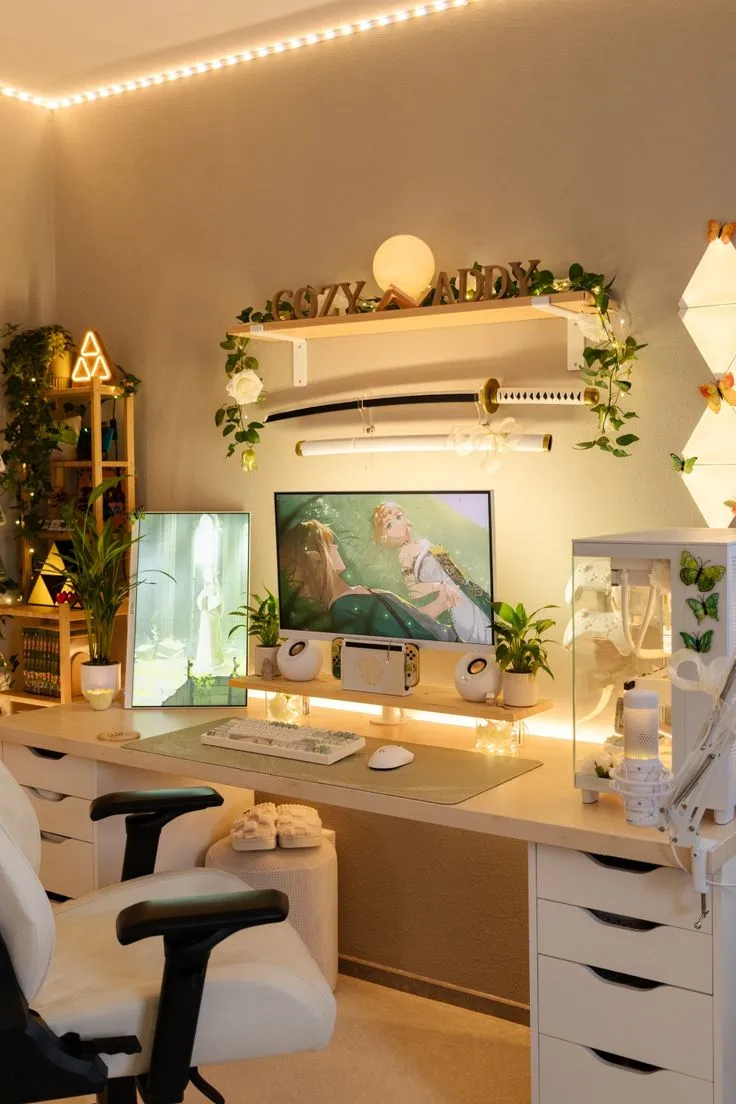
From Bedroom Streamer to Someone People Actually Watch: A No-Chaos Setup Guide

Photo by Photo by amjed omaf on Unsplash on Unsplash
Okay, real talk. The first time most people go live, they look like they're broadcasting from inside a laundry basket with a flashlight pointed directly at their forehead. The audio sounds like they're whispering into a Pringles can. The game audio is somehow louder than their voice. Their chat is moving at warp speed and they have absolutely no idea what anyone is saying.
We've all been there. Or at least, a lot of us have. And the good news? Every single one of those problems is fixable — and none of them require you to spend a thousand dollars before your first stream.
This is your no-fluff, let's-actually-do-this guide to setting up a stream that doesn't make viewers immediately click away.
Start With What You Already Have (Seriously)
Here's the first thing streaming tutorials don't tell you: you don't need a professional setup to start. You need a functional one. There's a huge difference.
If you have a gaming PC or console, a decent internet connection (at least 10 Mbps upload speed — you can check yours at fast.com), and a smartphone, you can go live today. Twitch, YouTube Live, and Kick all have mobile streaming options. Is it ideal? No. Is it a starting point? Absolutely.
Once you're ready to invest a little, here's the priority order:
- Microphone first, always. Bad audio drives people away faster than bad video. A USB condenser mic like the Blue Yeti Nano or the HyperX SoloCast runs between $50–$80 and is a massive upgrade from a headset mic.
- Lighting second. A ring light or even a cheap softbox kit will completely transform how your webcam looks. Natural light from a window works too — just make sure it's in front of you, not behind you, unless you enjoy looking like a witness in a crime documentary.
- Webcam or camera third. The Logitech C920 is the classic recommendation for a reason. Sharp, reliable, affordable. If you already have a DSLR or mirrorless camera, look into using it as a webcam — the quality jump is wild.
Your Streaming Software Doesn't Have to Be Scary
OBS Studio is free, powerful, and yes, it looks intimidating the first time you open it. But here's the shortcut: download Streamlabs or OBS with the Auto-Configuration Wizard and let it do the initial heavy lifting. It'll test your system and recommend bitrate and resolution settings based on your internet speed.
For most beginners streaming at 1080p, a bitrate of 4500–6000 Kbps is a solid target. If your internet can't handle that without dropping frames, dial it down to 720p at 3000 Kbps. A smooth 720p stream beats a choppy 1080p one every single time.
Set up at least three scenes: a gameplay scene (your game + webcam overlay), a starting soon screen, and a BRB screen. These make your stream look put-together even if you're just stepping away to grab a snack.
Camera Angles and Why Your Forehead Shouldn't Be the Star
Place your webcam at or slightly above eye level. Mount it on top of your monitor if you can. This creates natural eye contact with your audience, which makes the whole experience feel more like a conversation and less like watching someone stare at the ceiling.
Keep your face in the upper corner of the screen — most overlays follow this convention because it keeps the game visible while still showing your reactions. Your reactions, by the way, are genuinely one of the most important parts of your stream. People aren't just watching the game. They're watching you play the game.
Chat Management: Your Stream's Social Backbone
Here's where a lot of new streamers fumble. You go live, one person shows up, and you either ignore them completely because you're focused on the game or you stop playing every two minutes to respond to every single message.
The sweet spot is acknowledging chat naturally, like you're gaming with a friend in the room. You don't need to pause your gameplay. Just narrate. "Oh, TurboGamer42 says I should've taken the left path — yeah, you're probably right, I'm already regretting this."
Set up a Nightbot or StreamElements chatbot to handle the basics: welcome messages for first-time chatters, command responses (like !discord or !socials), and basic spam filters. This keeps your chat cleaner without you having to moderate every single message manually.
Building an On-Stream Personality That Doesn't Feel Fake
This is the part nobody tells you: your stream personality isn't something you manufacture. It's an amplified version of yourself. The key word is amplified. You talk a little louder, react a little bigger, share a little more.
The biggest mistake new streamers make is going silent when something goes wrong in the game. Dead air is the enemy. Fill it with commentary, jokes, questions to chat, or just narrating your thought process. "Okay I have no idea what I'm doing right now but we're committed" is infinitely more watchable than silence.
Consistency matters more than perfection. Pick a schedule — even just two days a week — and stick to it. Your community will build around the expectation of seeing you, not around a flawless production.
One Last Thing Before You Go Live
Do a test stream before your first real one. Go live on a private setting, record it, and watch it back. You'll immediately spot things — the mic gain is too hot, the game audio is drowning you out, the lighting makes you look green. Fix those things before your audience sees them.
Streaming is a skill, and like every skill, it gets better with reps. The first stream will be awkward. The tenth will be better. By the fiftieth, you'll have a rhythm that feels natural and a community that keeps coming back.
Now stop reading and go set something up. You've got this.